E-mail: sachikoo_sz@yeah.net
Telephone: +86-13118819569

Views: 0 Author: Site Editor Publish Time: 2026-07-12 Origin: Site


Starting a new venture brings excitement. Many early-stage founders and solo entrepreneurs feel tempted to run operations through an existing residential line. It seems like a simple way to stay lean and avoid extra installations. However, you will quickly reach a transition point where that residential setup becomes an operational bottleneck. Missed leads begin to pile up. You lack proper call routing capabilities. Work-life boundaries blur completely. You end up answering personal calls with formal greetings and client calls with a casual "hello." This guide provides a clear, technical, and operational comparison between a residential setup and a dedicated Office Telephone. We will help you understand the core differences in architecture, scalability, and daily functionality. By the end, you will have the knowledge to make an informed infrastructure decision for your future growth.
Architecture: Home phones operate on single-line residential networks; an office telephone system utilizes PBX or VoIP networks designed for multi-channel concurrent routing.
Professional Image: Office systems provide automated attendants, customized greetings, and dedicated business caller ID, which are impossible on standard residential lines.
Scalability: Upgrading a home line requires physical wiring; modern office systems allow instant provisioning of new lines and virtual extensions.
Security & Compliance: Business lines offer built-in compliance for call recording, data privacy, and secure CRM integrations that residential lines lack.
Every growing operation eventually faces a volume threshold. A residential line handles light, unpredictable traffic well. It falters under the weight of professional demands. The transition from a quiet home line to a bustling communications hub exposes several critical weaknesses.
Sharing a single line creates immediate friction. You never know who is calling before you pick up the receiver. You might expect an important client. You answer with a highly polished corporate greeting. Instead, you find a family member on the other end. Conversely, you might answer casually, only to realize a high-value prospect is calling. This mixed channel scenario projects an unprofessional image. It damages credibility instantly. Clients expect a standardized, predictable communication experience. A shared line cannot deliver this consistency.
Physical limitations severely restrict residential networks. They rely on a single-channel architecture. You can only handle one active conversation at a time. If a second caller dials your number, they hit a wall. They usually receive a busy signal or get pushed to a basic, generic voicemail. This limitation directly causes lost revenue. Modern consumers rarely leave voicemails. They simply hang up and call a competitor. Every missed concurrent call represents a missed opportunity.
Running an operation on a personal number guarantees psychological burnout. You cannot set official operating hours on a residential network. Your phone will ring during dinner, on weekends, and late at night. You face a difficult choice. You can ignore the call and feel anxious about missing an opportunity. Alternatively, you can answer it and sacrifice your personal time. A standard setup lacks the ability to route after-hours calls to a dedicated answering service automatically. This constant connectivity drains your energy and blurs important boundaries.
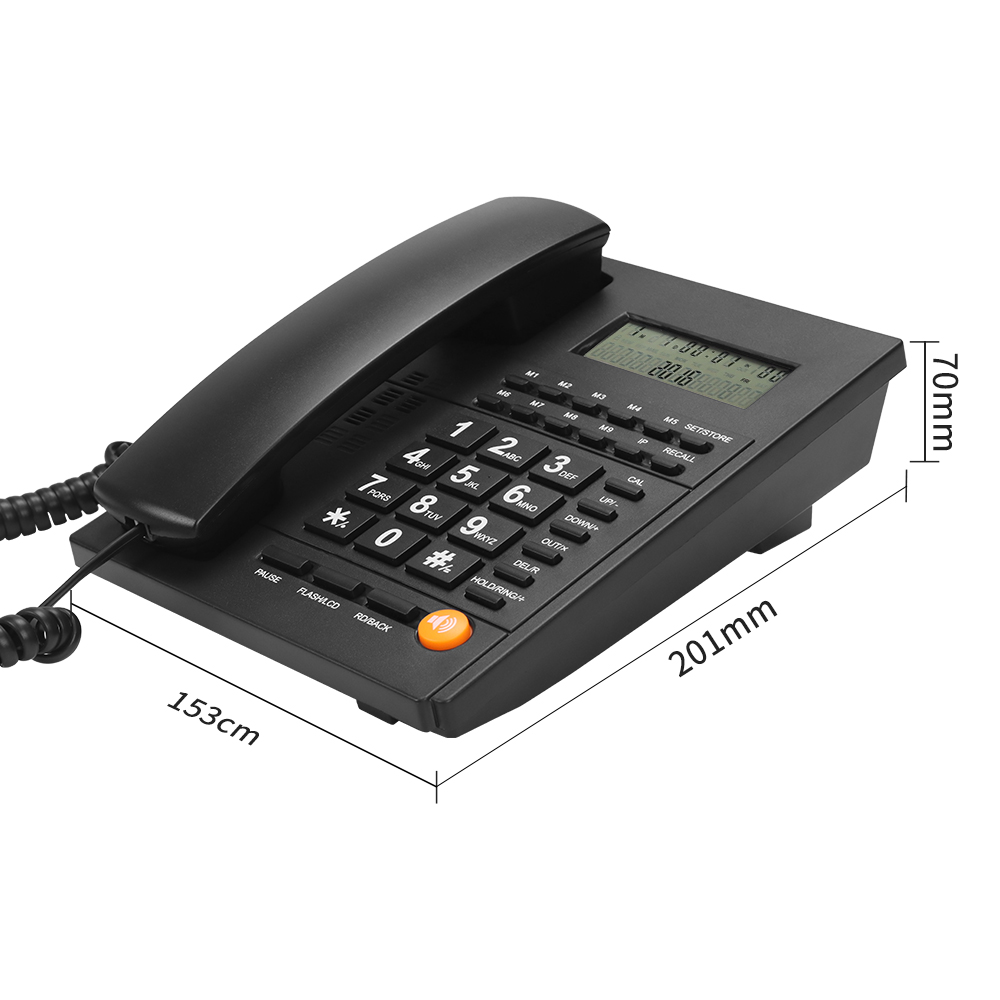
Understanding the performance gap requires looking at the underlying infrastructure. The technology powering these two systems differs fundamentally.
Residential communication traditionally relies on the Public Switched Telephone Network (PSTN). This model uses physical copper wires. These wires connect your specific physical address to a central switching hub. The PSTN model offers exceptional reliability. It rarely drops connections during local internet outages. However, it remains highly rigid. The phone number ties directly to one physical location. You cannot move the number dynamically. It remains a hardware-bound solution suited only for static use.
Professional operations utilize Private Branch Exchange (PBX) or Cloud VoIP networks. These systems operate on an entirely different premise. They decouple the phone number from the physical device. A modern Office Telephone acts as an endpoint on a digital network. This digital decoupling allows for advanced routing. A single incoming number can ring multiple devices simultaneously. It can ring a desk phone, a computer application, and a mobile device all at once. This infrastructure supports high-volume, multi-channel concurrent routing effortlessly.
Features dictate daily outcomes. Comparing the specific capabilities of each system highlights why hardware upgrades matter.
Residential setups follow a simple "ring one phone" model. The device rings until someone answers or voicemail engages. Professional networks utilize hunt groups. You can program incoming calls to ring your sales team sequentially. If the first person is busy, it rolls to the second. You can also set it to ring everyone simultaneously. The first person to pick up gets the call. This reduces wait times and improves client satisfaction.
An auto-attendant serves as a digital receptionist. IVR systems greet callers and offer menu options. "Press 1 for Sales, Press 2 for Support." This filters out spam efficiently. It directs client inquiries to the right department without manual transfers. A home setup lacks this entirely, forcing you to manually screen every single incoming call.
A home phone physically tethers you to a desk or a specific room. Modern professional systems offer seamless mobility. You can start a conversation on your physical desk phone. You can then flip that exact call to a mobile app seamlessly as you walk out the door. The caller experiences no interruption. This keeps you connected regardless of your physical location.
Residential caller ID offers a guessing game. It shows a number, but nothing more. Professional systems provide comprehensive analytics dashboards. You gain access to call logs, duration metrics, and missed call reports. You can track peak call times. You can measure how long your team spends on the phone. This data drives better staffing decisions and ensures accountability across your operations.
| Feature Category | Residential Setup | Dedicated Office System |
|---|---|---|
| Call Routing | Single device ringing | Hunt groups, sequential ringing |
| Call Screening | Basic Caller ID only | IVR (Interactive Voice Response) menus |
| Mobility | Tethered to physical location | App syncing, call flipping |
| Analytics | None | Call logs, duration, missed call tracking |
Professional operations face strict regulatory environments. Using consumer-grade communication tools introduces significant legal and operational risks.
Many industries require strict data privacy protocols. Healthcare follows HIPAA. European operations follow GDPR. Financial sectors require mandatory call recording. A residential line cannot fulfill these mandates. It lacks encrypted storage and secure access logs. Professional platforms offer built-in compliance measures. They encrypt voice traffic. They store recordings in secure, redundant servers. They allow secure CRM integrations to log client interactions safely.
Local power failures or internet outages destroy consumer networks. A home phone simply goes dead. You lose all communication capabilities instantly. Professional cloud systems use robust failover protocols. If your local network goes down, the system detects it. It automatically reroutes incoming calls to mobile devices or designated backup numbers. Your clients never hear a dead line. They continue to reach your team.
Emergency response routing becomes complex for growing teams. A residential line links directly to one address. Dispatchers know exactly where to send help. Cloud systems decouple numbers from physical locations. Therefore, enterprise systems manage E911 (Enhanced 911) data dynamically. They update location tracking for multiple physical extensions. This ensures emergency responders find the exact office suite or remote worker location promptly.
Transitioning from a consumer line to a professional network requires planning. The hardware choices and migration logistics define the success of the rollout.
Consumer phones pride themselves on a plug-and-play nature. You plug a cord into a wall jack. It works instantly. Professional networks offer diverse hardware choices. You must decide what fits your operational style.
Softphones: Software applications installed on computers or smartphones. They require no physical hardware other than a headset.
IP Desk Phones: Physical devices that connect via Ethernet. They provide dedicated screens and high-definition audio.
Traditional Models: A traditional landline office phone provides familiarity. It requires professional installation but offers exceptional stability for static desk workers.
Porting an existing number requires careful navigation. Many founders use their personal home number for operations for years. Untangling this mixed-use number causes disruption. You must separate personal contacts from professional contacts. The actual porting process involves several specific steps.
Verify your current number's eligibility for transfer with the new provider.
Submit a Customer Service Record (CSR) request to authorize the transfer.
Configure temporary routing numbers to ensure zero downtime during the switch.
Execute the final cutover and test all routing rules.
Failing to plan this porting process results in dropped calls and frustrated clients. Always maintain your old service until the new network confirms full operational status.
Choosing the right communication infrastructure depends on your current scale and future ambitions. We have created a framework to guide this decision.
Consumer setups still serve a purpose under very specific conditions. You should stick with a residential line if you have absolutely zero growth plans. It works for strictly local solo operations. If you operate a neighborhood service where clients expect informal interactions, a residential setup suffices. It is a simple tool for a simple operational model.
Certain operational milestones demand an infrastructure upgrade. You must upgrade when you hire your first employee. They need their own extension. You must upgrade if you experience missed calls during peak hours. If you need CRM integration to log client history, a professional system is mandatory. A dedicated system protects your professional image as you scale.
Before selecting a new provider, audit your current operational needs using this checklist.
Assess current call volume: Track how many incoming calls you receive daily and note your peak concurrency limits.
Audit necessary integrations: List the software your team uses daily, such as CRM platforms or Helpdesk ticketing systems.
Determine hardware needs: Decide whether your team requires physical desk hardware or if a purely cloud-based app suffices.
| Operational Status | Recommended Setup | Primary Reason |
|---|---|---|
| Solo practitioner, local only | Residential Setup | Simplicity and lack of concurrency needs |
| Hiring first employee | Dedicated Office System | Requires internal extensions and transfers |
| High daily call volume | Dedicated Office System | Requires IVR and sequential hunt groups |
Operating a growing venture demands reliable infrastructure. A standard residential setup acts as a temporary band-aid for micro-operations. It lacks the routing capabilities, concurrency limits, and security standards required for modern operations. Transitioning to a dedicated professional platform provides a foundational asset. It establishes immediate credibility. It ensures your team captures every incoming lead efficiently.
Consumer lines inevitably create mixed-channel friction and project an unprofessional image.
Professional networks decouple phone numbers from physical locations, allowing advanced digital routing.
Regulatory compliance and disaster recovery protocols mandate the use of dedicated, secure platforms.
Scaling your operation requires the ability to instantly provision new extensions and analyze call metrics.
Your next step is clear. Audit your last week of inbound communications. Identify how many calls went to voicemail or encountered a busy signal. Calculate the potential lost revenue from those missed opportunities. Use that data to begin comparing entry-level professional tiers. Upgrading your communication infrastructure is an investment in your operational scale.
A: Yes, via Local Number Portability (LNP). The process transfers your residential number to a commercial VoIP or PBX provider. It involves a brief administrative period. Your new provider will set up temporary routing to ensure you experience zero downtime while the transition finalizes.
A: Cloud systems provide sufficient reliability for 95% of modern operations. However, a hardwired landline office phone remains recommended for highly specific use cases. Facilities with elevators, critical alarm systems, or areas experiencing highly unstable internet connections still rely on physical copper-wire stability.
A: Yes. Modern professional systems feature robust failover protocols. If your local internet connection drops, the cloud network automatically reroutes incoming calls. They forward to designated cellular networks or convert directly to voicemail-to-email services. This prevents the absolute communication failure experienced by disconnected residential lines.