E-mail: sachikoo_sz@yeah.net
Telephone: +86-13118819569

Views: 0 Author: Site Editor Publish Time: 2026-07-10 Origin: Site


Transitioning to a new communication system represents a high-stakes operational decision. Buying based on a generic feature list often leads to software bloat. Teams end up missing the critical functions they actually require daily. The definition of a standard setup has shifted dramatically over recent years. It moved from physical desktop hardware to cloud-based Unified Communications. You must bridge the gap between traditional system reliability and modern flexibility. Evaluating these communication frameworks requires looking past common marketing buzzwords. You need to assess network readiness and actual user adoption rates carefully. Deploying a sophisticated tool matters little if employees refuse to use it. In this guide, we explore the essential functionalities required for modern workflows. You will learn how to evaluate intelligent call handling and mobile integrations. We also cover strict security compliance and crucial redundancy standards. Finally, we help you audit your existing network infrastructure effectively. This ensures you choose a robust solution tailored perfectly to your daily operations.
Match features to workflows: Differentiate between "must-have" operational features and "nice-to-have" add-ons to avoid software bloat.
Prioritize mobility and integrations: Modern systems should seamlessly connect with CRMs and allow device-switching (desktop to mobile) without dropping calls.
Do not compromise on security: Require 99.999% uptime Service Level Agreements (SLAs), end-to-end encryption, and E911 compliance.
Audit before buying: Implementation success relies heavily on your existing network’s Quality of Service (QoS) and bandwidth capabilities.
Traditional PBX systems lack agility for dynamic hybrid work environments. Conversely, cheap VoIP alternatives frequently suffer from severe latency issues. They often deliver poor call quality during peak operational hours. You must address these specific operational gaps before selecting hardware or software. We recommend starting by categorizing your unique user needs. Segment necessary features based on specific employee roles.
Consider the varied requirements across different departments. Support teams need high-volume call queuing and skill-based routing. They rely on analytics dashboards monitoring live queue times. Sales departments require entirely different capabilities. They rely heavily on deep CRM logging and automatic dialers. They need robust tracking for outbound campaign metrics. Marketing teams might focus on local presence dialing to increase answer rates.
Let us address the hardware versus software reality directly. Organizations must decide between provisioning physical IP desk phones or utilizing softphones. Softphone applications live entirely on employee laptops and smartphones. They offer incredible flexibility for remote workers. Users simply plug in a headset and start dialing. It drastically reduces physical clutter on desks.
However, physical hardware still serves a vital operational purpose. Physical phones provide dedicated communication channels in specific environments. Warehouses, retail floors, and reception desks require robust physical devices. Executives often prefer the tactile reliability of a traditional handset. You rarely need to choose exclusively between the two options. The best communication architectures blend both seamlessly. They assign hardware only where physical presence dictates necessity.
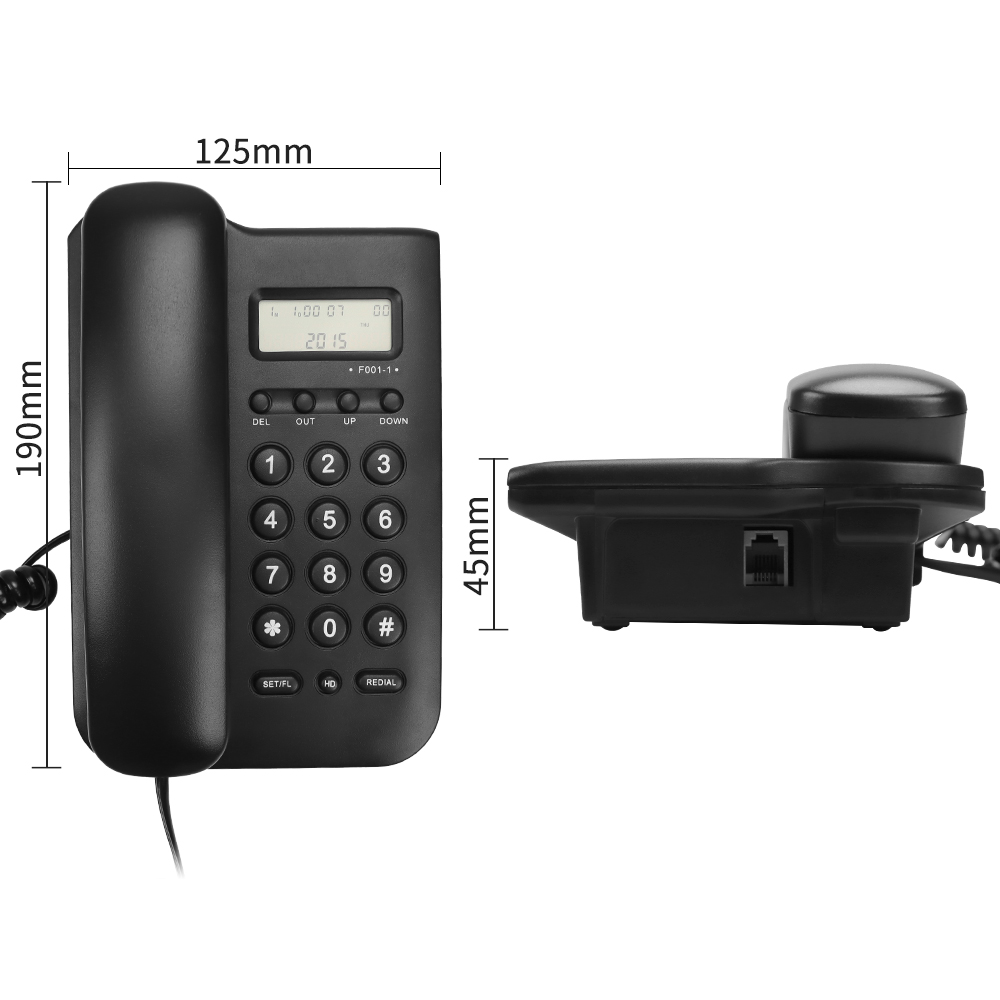
Modern front-desk operations require superior inbound screening capabilities. Utilizing a modern caller ID telephone setup changes how you handle high inbound volume. It cross-references incoming numbers against internal company directories instantly. This enables your staff to identify VIP clients immediately. They can prioritize high-value calls over general inquiries.
Intelligent call routing transforms basic customer interactions completely. It replaces manual switchboard operations using logic-based routing paths. Auto-attendants and Interactive Voice Response (IVR) menus guide callers smoothly. Callers press specific keys or speak simple commands. The system then routes them directly to the appropriate department.
We must break down the most effective routing strategies available:
| Routing Strategy | Core Functionality | Ideal Operational Use Case |
|---|---|---|
| Time-of-Day Routing | Directs calls based on strict business hours. | Managing after-hours support and holiday schedules. |
| Sequential Ringing | Rings individual extensions one by one in order. | Building escalation paths for urgent technical issues. |
| Simultaneous Ringing | Rings all phones in a targeted group at once. | Ensuring rapid response times for customer service. |
| Skill-Based Routing | Matches caller intent to a specific agent's skill. | Handling complex technical support inquiries effectively. |
Voicemail modernization acts as another crucial element for productivity. Traditional voicemail systems waste valuable time. Voicemail-to-email converts voice messages into accessible audio attachments. It sends these files directly to employee inboxes. Visual voicemail transcriptions take this convenience a step further. They use advanced speech recognition to convert audio into readable text.
This acceleration drastically reduces response times. Employees scan transcripts during meetings without playing audio out loud. It also maintains clear written records for complex client interactions. You can copy transcriptions directly into client management software.
Modern workflows demand seamless transitions across completely different devices. Device flipping represents a massive leap in enterprise communication technology. It grants the ability to transfer an active call across platforms. You can move from a desktop application to a mobile app seamlessly. The caller experiences zero interruption or dropped audio.
Consider a scenario where an agent needs to leave their desk. They simply press a button on their mobile app. The active call instantly transfers to their smartphone. They walk out the door while maintaining perfect conversation continuity. This mobility eliminates the friction of calling clients back.
Native workflow synchronization pushes overall productivity much higher. Platforms must integrate natively alongside tools like Salesforce, HubSpot, or Zendesk. These deep connections automate tedious manual call logging. They trigger immediate screen pops containing the caller's entire history.
Let us look deeper into CRM integrations. When a call arrives, the system queries your database instantly. It matches the incoming caller ID against existing client records. The agent's screen populates with recent interaction history. They see previous support tickets, past purchases, and notes left by other agents. This context prevents customers from repeating themselves. It transforms a standard interaction into a highly personalized experience. This eliminates manual data entry entirely. Your agents can focus completely on the ongoing conversation.
Omnichannel capabilities consolidate fragmented internal communication tools. They combine voice, SMS, and internal team messaging into a single interface. This reduces app-switching fatigue among employees significantly. They no longer hunt for critical information across disconnected applications.
Here is a detailed chart illustrating how channels unify operations:
| Channel Type | Primary Function | Typical Response Expectation | Retention Value |
|---|---|---|---|
| Voice | Complex problem solving and negotiations. | Immediate | High relationship building |
| SMS | Quick updates, alerts, and confirmations. | Under 5 minutes | Immediate notification |
| Team Chat | Internal collaboration and file sharing. | 5 - 15 minutes | Deep operational context |
| Video | Face-to-face consultations and demos. | Scheduled in advance | Maximum visual engagement |
Security remains entirely non-negotiable for enterprise communications today. A 99.999% uptime Service Level Agreement (SLA) serves as the industry standard. This "five nines" reliability translates to roughly five minutes of downtime annually. Failover routing acts as your ultimate safety net. It protects critical operations during local internet outages. Calls simply reroute to mobile devices or secondary geographic locations automatically.
Regulatory compliance requires thorough and careful evaluation. Depending on your industry, platforms must meet strict operational standards. Healthcare organizations demand HIPAA compliance for patient data protection. Retail operations require PCI-DSS adherence for processing payments securely over the phone. Technology and service firms look for SOC 2 Type II compliance. This standard validates strong internal data security controls.
Using a highly reliable Office Telephone system means enforcing modern encryption protocols. You must validate the use of Secure Real-Time Transport Protocol (SRTP). SRTP encrypts the actual voice traffic payload moving across the network. Transport Layer Security (TLS) encrypts the underlying call signaling data. Together, they prevent malicious eavesdropping and data interception.
Enhanced 911 (E911) introduces strict legal requirements across various jurisdictions. Regulations like Ray Baum’s Act demand accurate dispatchable location data. Remote and mobile workers must have their precise physical addresses transmitted. Emergency responders rely on this data during crisis situations. Failing to implement proper E911 introduces massive legal and ethical liability.
We highly recommend following these steps to validate system security:
Request the provider's most recent third-party security audit documentation.
Verify SRTP and TLS encryption remain active by default for all users.
Test automatic failover routing rules during a scheduled simulated outage.
Confirm E911 location tracking updates accurately for remote employee moves.
Audit the platform's data retention policies regarding recorded calls.
Network readiness poses the biggest hidden risk of new platform adoption. Cloud systems rely entirely on your local infrastructure and internet stability. Businesses must conduct thorough bandwidth stress tests prior to deployment. You must also configure Quality of Service (QoS) on your routers.
Conducting a bandwidth stress test requires specific network tools. You need to simulate the exact number of concurrent calls expected during peak hours. Each voice call typically requires around 100 kilobits per second. This requirement applies to both upload and download speeds symmetrically. However, raw speed matters far less than connection stability. You must measure latency, packet loss, and jitter. Latency measures the time it takes for audio to travel. Jitter measures the variation in that delay. High jitter causes robotic voices and overlapping conversations.
QoS acts as a traffic cop for your local network. It prioritizes sensitive voice packets over standard data traffic. This prevents dropped words when someone downloads a massive file nearby. Without proper QoS, you will experience jitter and frustrating audio delays.
User adoption directly impacts the overall success of new technology. You must evaluate the administrative portal thoroughly. The end-user interface requires equal scrutiny from your team. A complex user interface causes steep learning curves and deep frustration. Complicated menus remain the leading cause of failed software rollouts. If employees find the platform frustrating, they will revert to alternative methods. They will simply start using their personal cell phones for professional calls.
Evaluating feature bundles requires strategic foresight and planning. You must differentiate between core operational necessities and premium add-ons. Some platforms bundle every advanced feature into a single holistic tier. Others gate specific capabilities behind premium subscription upgrades. Ensure the system scales smoothly alongside your organizational growth. Beware of limiting structures restricting your ability to add users rapidly. You must map out exactly how feature access aligns with long-term operational plans. Make sure you fully understand what functionality comes standard.
The most effective communication setup invisibly supports your specific workflows. It enhances daily operations while providing robust enterprise-grade security. Transitioning away from legacy hardware opens up vast collaborative possibilities for teams. You gain intelligent call routing, deep software integrations, and genuine mobility.
Before requesting vendor demos, take decisive action internally first. Conduct a thorough audit of your current network infrastructure capabilities. Map out the exact call-flow journeys your customers experience today. Identify the communication bottlenecks slowing down your support or sales teams. Armed with this comprehensive data, you can select a platform confidently. You will secure a solution enhancing both employee productivity and client satisfaction.
A: Yes. While softphones absolutely dominate modern remote workflows, physical IP phones remain highly relevant. They are essential for shared spaces like lobbies, warehouses, and break rooms. Furthermore, many executives still prefer the dedicated hardware and tactile reliability of a traditional handset over a desktop application.
A: Yes, you can keep your existing numbers. The Local Number Portability (LNP) process allows you to transfer your current numbers to a new provider. This process typically takes between a few days and two weeks. Your current service continues uninterrupted until the exact moment the transfer completes.
A: A cloud-based system requires roughly 100 kbps of bandwidth per concurrent call for both upload and download. However, network stability matters much more than raw speed. You must maintain low jitter and minimal latency to ensure clear audio. Configuring Quality of Service (QoS) helps prioritize this voice traffic.