E-mail: sachikoo_sz@yeah.net
Telephone: +86-13118819569

Views: 0 Author: Site Editor Publish Time: 2026-07-15 Origin: Site


With the rise of softphones, Microsoft Teams, and mobile-first workforces, many IT decision-makers wonder if physical phone hardware is obsolete. Desktop monitors are frequently cluttered with multiple communication applications. Constant notifications easily distract modern workers. Yet, physical voice devices still serve a crucial purpose in our daily operations. We must define the modern Office Telephone not as a legacy copper-wire landline. Instead, view it as a highly advanced, dedicated IP endpoint integrated seamlessly into a broader Unified Communications (UCaaS) environment.
While not every single employee needs one on their desk, a dedicated business desk phone remains a critical infrastructure component. It provides unparalleled value for specific operational roles. These roles require high-reliability audio, rigorous compliance standards, and frictionless daily communication. In this article, you will learn exactly why physical endpoints still matter. We will explore role-based deployment strategies in detail. You will also discover how to critically evaluate modern phone systems to optimize your overarching communication ecosystem.
Modern Definition: Today’s office telephone is an advanced, internet-connected SIP endpoint, not an outdated analog device.
Strategic Value: Physical hardware ensures uninterrupted communication during workstation failures, provides superior acoustic performance, and clearly separates personal from professional boundaries.
Role-Based Deployment: Not every user needs a desk phone; deployment should be based on specific operational roles (e.g., reception, dispatch, executive, compliance-heavy departments).
Implementation Reality: Successful adoption requires assessing network infrastructure (PoE availability, QoS policies) alongside device selection.
The telecommunications landscape has transformed drastically over the past decade. The Plain Old Telephone Service (POTS) is rapidly fading into history. Global telecom providers are actively retiring legacy copper wire infrastructure. Voice over Internet Protocol (VoIP) has completely taken over corporate communications. An Office Telephone today uses this robust internet-based protocol exclusively. It captures your voice, compresses it, and transmits it as digital packets over your local area network. You no longer plug devices into analog wall jacks. Instead, you connect them directly to network ethernet switches or Wi-Fi access points.
Device manufacturers have evolved their hardware significantly. You will find several specialized models designed for entirely different operational needs. Understanding these distinctions helps you allocate hardware efficiently across your floors.
| Device Category | Core Specifications | Ideal Operational Use Case |
|---|---|---|
| Executive & Managerial IP Phones | High-definition color touchscreens, integrated video capabilities, and complex call routing logic. | C-suite executives, senior managers, and high-level boardroom environments. |
| Standard Business Desk Phones | Highly durable physical build, core call transfer functionality, and tactile button feedback. | General office staff, knowledge workers, and back-office administration teams. |
| Conference & Specialized Phones | 360-degree microphone arrays, DECT wireless mobility, and ruggedized outer frames. | Large meeting rooms, retail sales floors, and noisy manufacturing environments. |
We must adopt a new mental model regarding these devices. We should view the modern handset as a secure, intelligent network endpoint. It is no longer just a standalone utility tool. IT administrators manage these physical endpoints centrally. They push firmware updates seamlessly over the network. They configure routing rules remotely without leaving their desks. This centralized control integrates your voice hardware directly into your comprehensive digital security strategy.
Why do modern organizations still allocate budget for physical voice hardware? Software applications seem cheaper at first glance. However, physical endpoints deliver five undeniable operational benefits. Let us explore these advantages in detail.
Modern workstations are complex and sometimes unstable. Your PC might crash unexpectedly during a critical negotiation. Background application updates often consume immense CPU usage, causing application lag. Bluetooth headsets frequently drop their wireless connectivity. These common software issues simply do not affect a hardwired business desk phone. Physical endpoints run highly specialized operating systems. They exist solely to process voice traffic efficiently. This specialization ensures an "always-on" reliability level. You can pick up the physical handset and dial immediately, regardless of what your computer is doing.
Voice clarity dictates the professionalism of your company. Dedicated acoustic chambers within physical phones deliver exceptional sound fidelity. Handset ergonomics naturally align the physical microphone perfectly near your mouth. Furthermore, localized hardware processing handles active noise cancellation brilliantly. Standard laptop microphones cannot compete with this localized processing power. Laptops often pick up distracting ambient office noise, keyboard typing, and HVAC hums. A dedicated device guarantees your voice sounds authoritative and professional during all external conversations.
Heavily regulated sectors mandate strict communication compliance protocols. Healthcare, legal, and finance industries often require automated, tamper-proof call recording. A fixed endpoint simplifies this compliance logging significantly. Physical devices also ensure strict E911 compliance. Regulations like Kari’s Law and Ray Baum’s Act require organizations to provide exact location data for emergency medical dispatches. You can tie a static network location specifically to a fixed hardware device. Softphones moving unpredictably between coffee shops and home networks complicate emergency routing dangerously.
Digital fatigue is a massive challenge in the modern workplace. A physical device clearly separates professional calls from personal mobile notifications. You do not have to minimize important spreadsheets to answer an incoming client call. This physical separation reduces cognitive overload effectively. It limits digital distractions during intense focus periods. Employees experience much clearer boundaries during their daily workflow when communication tools are physically distinct.
Software clicks are notoriously slow for complex call management tasks. Tactile buttons perform these actions much faster. Transferring angry callers, parking multiple lines, and conferencing external parties require precise inputs. The Busy Lamp Field (BLF) provides instant visual indicators. You can instantly see if a colleague is currently speaking on another line. High-volume operators rely entirely on these physical cues for maximum daily efficiency.
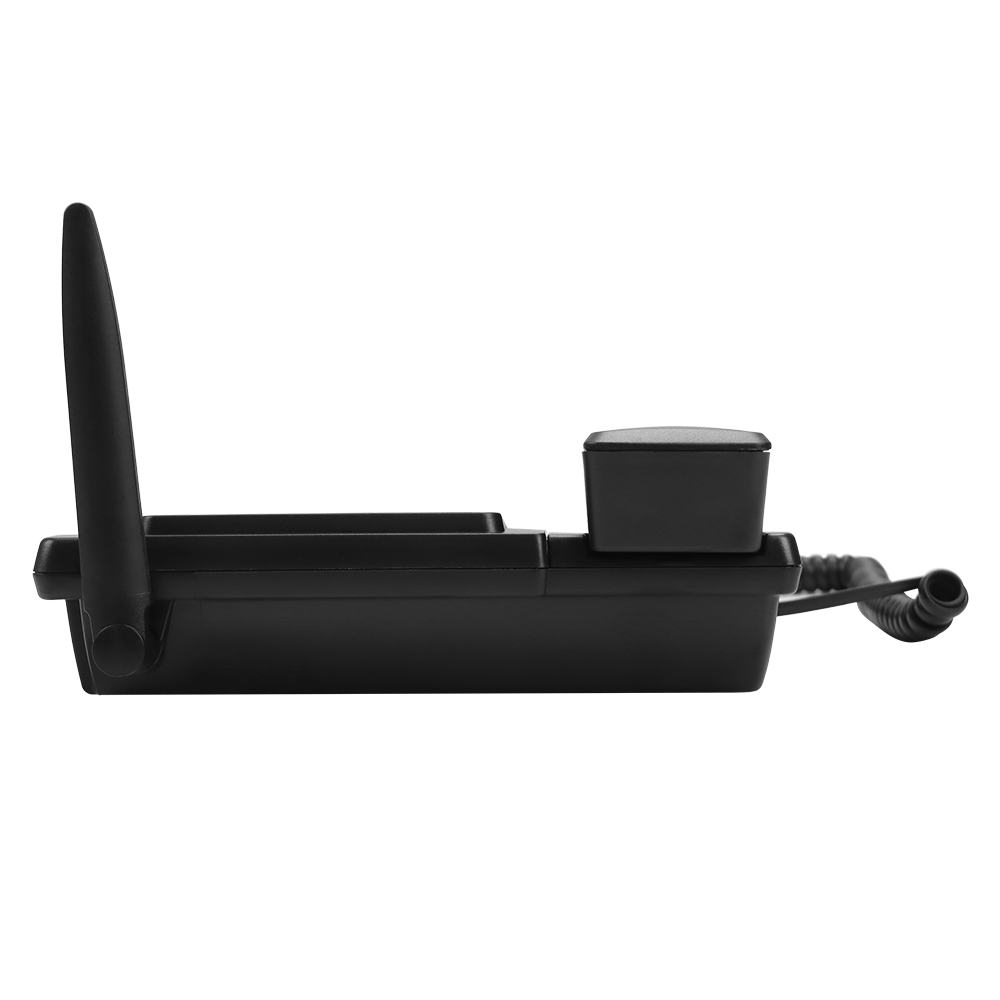
Organizations often fall into a dangerous "all or nothing" trap. They either purchase expensive hardware for everyone or force softphones universally across all departments. You should actively avoid this extreme approach. Hybrid deployment is the proven standard for successful modern enterprises.
Some operational roles thrive exclusively on software-only voice solutions. Remote-first workers rely heavily on portable laptops for travel. Highly mobile sales teams need location flexibility. Agile startup environments often prefer minimal physical office infrastructure. For these specific groups, application-based calling makes perfect logistical sense.
Conversely, other positions simply cannot function efficiently without fixed hardware. Let us highlight three specific operational areas where hardware remains mandatory:
Reception and Administration: Front desk staff handle extremely high concurrent call volumes. Physical hardware buttons allow rapid, error-free switching between active lines.
Customer Support and Dispatch: Support agents require absolute acoustic clarity. They need zero dependency on fluctuating PC system resources. A localized device ensures their voice remains crystal clear during stressful escalations.
Common Areas: Lobbies, breakrooms, and manufacturing warehouse floors demand fixed hardware. Visitors and shift workers need accessible, permanently stationed communication endpoints for immediate use.
Weighing hardware acquisition costs involves looking deeply at the broader operational picture. Softphones definitely appear cheaper initially. However, hidden IT support tickets accumulate rapidly over months. Users constantly struggle with Bluetooth headset compatibility. Operating system audio routing updates cause endless frustration. You must continuously balance the upfront physical hardware cost against the ongoing softphone troubleshooting burden. A physical endpoint consistently delivers better long-term operational stability.
Selecting the exact right device requires careful technical evaluation. You must analyze several key dimensions deeply before committing to any platform. A rushed decision leads to massive user friction.
Does the specific hardware use open SIP standards? You should actively avoid devices permanently locked to a proprietary PBX system. Ensure broad compatibility across leading UCaaS providers. Your endpoints should integrate smoothly whether you currently use RingCentral, Zoom Phone, or MS Teams. Open standards fundamentally protect your hardware investment if you decide to switch software platforms years later.
Manual device configuration wastes incredibly valuable IT hours. Look exclusively for Zero-Touch Provisioning (ZTP) capabilities. Your system administrators should be able to ship an endpoint directly to a remote branch office. The device must configure itself completely automatically upon plugging into the network. This powerful capability dramatically accelerates enterprise rollouts and reduces deployment errors.
Corporate voice traffic often carries highly sensitive data. Strong encryption standards are strictly mandatory. Look closely for Secure Real-Time Transport Protocol (SRTP) and Transport Layer Security (TLS) specifications. These security protocols prevent malicious network eavesdropping effectively. They also forcefully block unauthorized toll fraud attempts across your corporate infrastructure.
Do not buy technical features blindly. You should purchase specific operational outcomes. Evaluate your physical office wiring layout first. You might desperately need gigabit passthrough features. This specific feature allows you to daisy-chain a PC directly to the phone. It saves one vital network port at the workstation. Only select features that directly solve your documented operational challenges.
Best Practice: Always request a proof-of-concept unit from your vendor. Have your most demanding receptionists test the physical buttons and audio clarity for one week before signing a large procurement contract.
Deploying a completely new communication ecosystem introduces specific operational risks. Careful proactive planning mitigates these frustrating implementation hurdles effectively.
Conduct a highly thorough network assessment long before unboxing your new devices. Two critical infrastructure factors absolutely determine your deployment success:
Power over Ethernet (PoE): Does your office currently have modern PoE-enabled network switches? If not, individual users will need clunky electrical AC adapters sitting at every single desk. PoE elegantly delivers both data transmission and electrical power over one single ethernet cable.
Quality of Service (QoS): Voice data packets are incredibly sensitive to network congestion. Has your network administrator correctly configured QoS policies? You must forcefully prioritize voice traffic over standard data downloads. This prioritization prevents frustrating audio latency and robotic jitter during peak network usage times.
Common Mistake: Ignoring network cabling limitations. Plugging a gigabit-capable modern IP phone into an ancient Cat3 ethernet cable will result in dropped calls and severe network bottlenecking.
Never underestimate the psychological user learning curve. Transitioning an entire office from a legacy analog PBX to cloud-based IP endpoints causes temporary friction. Address this friction proactively. Provide very brief, highly targeted training sessions. Focus these sessions heavily on new voicemail retrieval methods. Explain the updated call-routing behaviors clearly to all staff. When employees feel technically confident using the new system, daily adoption rates soar instantly.
Examine your purchasing and leasing agreements very closely. Leasing proprietary hardware directly from a service provider carries significant long-term risk. You might find your organization trapped inside a rigid ecosystem. Purchasing agnostic SIP hardware provides your company with much greater structural freedom. It ensures you can migrate your backend voice services eventually without throwing away expensive physical devices.
The modern Office Telephone is far from dead. It has merely evolved into a highly specialized, intelligent tool. This dedicated hardware guarantees unparalleled acoustic quality, rock-solid network reliability, and strict regulatory compliance. Organizations must immediately stop viewing physical endpoints as legacy relics. Instead, you should treat them as vital strategic assets for your most critical corporate communications.
Here are your immediate next steps for optimizing your voice infrastructure effectively:
Audit your current user personas meticulously across all internal departments.
Determine the exact optimal mix of softphones and dedicated hardware required for peak efficiency.
Perform a comprehensive network infrastructure check, verifying PoE availability and active QoS configurations.
Request targeted vendor demos only after clearly defining your strict interoperability requirements.
Following this structured, role-based approach ensures a seamless, high-performing communication environment for your entire workforce.
A: Yes. Modern business desk phones use internet connections through Voice over Internet Protocol (VoIP). They do not require traditional copper phone lines to function. You simply plug them into your existing corporate network infrastructure to route global calls.
A: Many modern IP phones offer native application integration or SIP gateway compatibility. This specialized integration allows users to make, receive, and safely manage Teams or Zoom calls directly from the physical handset interface without constantly opening their desktop software.
A: Skipping hardware saves upfront acquisition costs initially. However, reimbursing employee mobile data plans and actively managing Mobile Device Management (MDM) security protocols often introduces complex ongoing expenses. Hidden support costs, rapid device depreciation, and potential security vulnerabilities heavily outweigh initial savings.
A: They only function if your network switches and internet routers are actively backed up by an Uninterruptible Power Supply (UPS). Unlike old analog phones powered by external telecom lines, VoIP endpoints require active electrical power, usually delivered directly via PoE network switches.