E-mail: sachikoo_sz@yeah.net
Telephone: +86-13118819569

Views: 0 Author: Site Editor Publish Time: 2025-09-25 Origin: Site


Ever wondered about the differences between hotel and home telephones? Hotel telephones, often made from durable ABS material, are designed for guest convenience. They offer unique features like direct room dialing and quick access to hotel services. In this post, you'll learn how to locate, use, and maximize the features of hotel telephones for a seamless stay.
When you enter a hotel room, the telephone is usually easy to find. Most guest rooms have a phone placed in a convenient spot for quick access. Typically, you'll find it on or near the nightstand beside the bed or on the desk area. This placement makes it simple for guests to reach the phone whether they are resting or working.
● Nightstand: This is the most common location. The phone sits within arm’s reach of the bed, allowing guests to make or receive calls without getting up.
● Desk or Work Area: Some hotels place the phone on a desk, especially if the room is designed for business travelers who might use the phone for work-related calls.
● Wall Mounts: In some rooms, phones are mounted on the wall near the bed or entryway to save space and keep the desk or nightstand free.
Hotels often provide telephones in shared spaces too. These can be helpful if you need to make a call but don’t want to use your room phone.
● Lobby: A phone may be available at the front desk or in the lobby area for guest use.
● Business Center: Many hotels have a business center with telephones, computers, and printers for guest convenience.
● Conference Rooms: Phones might be installed in meeting rooms for internal or external calls during events.
● Public Lounges or Hallways: Some hotels place payphones or guest phones in hallways or lounges, especially in larger properties.
In summary, whether in your room or a public area, hotel telephones are placed for easy access to ensure guests can communicate effortlessly during their stay.
Using the hotel telephone to connect with other rooms or hotel departments is usually simple and convenient. Here's how to make the most of internal calling features during your stay.
Most hotels assign a unique number to each guest room, often matching the room number itself. To call another room:
● Pick up the handset or press the speakerphone button.
● Dial the room number directly. For example, to reach room 312, just dial "312".
● Listen for the ring or voicemail prompt. If the room is busy or unanswered, you may be directed to voicemail or given a busy signal.
Some hotels require a prefix (such as "1" or "0") before dialing the room number. Check the instructions near the phone or ask the front desk if unsure.
This quick dialing method lets guests easily reach friends, family, or colleagues staying in the hotel without needing an outside line.
Hotel phones often feature special one-touch buttons or short codes programmed for key departments. These guest service keys typically include:
● Front Desk: For any inquiries, requests, or assistance.
● Housekeeping: To request extra towels, cleaning, or amenities.
● Room Service: To order food or beverages.
● Concierge: For local information, reservations, or transportation.
● Maintenance: To report issues like a broken light or plumbing problem.
If your phone has labeled buttons for these services, simply press the corresponding key to connect immediately. If not, dial the department’s designated extension number, usually found on a card near the phone.
Using these direct lines speeds up communication and ensures your requests reach the right team quickly.
Note: For hotel operators, programming guest service keys with frequently contacted departments improves guest convenience and reduces call handling time at the front desk.
When you want to make a call outside the hotel using the hotel telephone, the process is a bit different from dialing within the hotel. Here’s how to get connected to the outside world efficiently.
Most hotels require guests to dial a specific number to access an outside line before entering the full phone number. This is usually the digit 9, but some hotels might use 0 or another number. Here's what to do:
● Pick up the handset or press the speakerphone button.
● Dial the outside line access number (commonly 9).
● Wait for the dial tone. This confirms the outside line is ready.
● Enter the full phone number you wish to call, including the area code.
If you don't dial the outside line access number first, your call may remain within the hotel phone system and won't connect externally.
Once you have an outside line, dialing national and international numbers requires a few extra steps.
National Calls
For calls within the same country:
● Dial the area code followed by the phone number.
● Some hotels may require you to dial 1 before the area code, especially in the U.S. Confirm this by checking instructions near the phone or asking the front desk.
Example: To call a number in New York (area code 212), you would dial:
9 (outside line) + 212 + phone number
International Calls
International calls involve more steps:
● Dial the outside line access number (e.g., 9).
● Dial the international exit code (for the U.S. and Canada, this is 011).
● Dial the country code of the destination.
● Dial the area code (if applicable).
● Dial the local phone number.
Example: To call London, UK, you would dial:
9 + 011 + 44 + local number
Keep in mind, international calls can be expensive, so check the hotel’s rates before making these calls.
● If you hear a busy signal or error tone, double-check you dialed the outside line access number correctly.
● Some hotels block international calls or require authorization from the front desk.
● Use the hotel's calling card or prepaid phone cards if available to save on costs.
● Check for instructions posted near the phone or in the hotel directory for specific dialing rules.
Hotel telephones often come with special features designed to enhance guest convenience and streamline communication. These features go beyond basic calling, offering helpful options like voicemail, wake-up calls, conference calling, and guest service keys. Understanding how to use these functions can improve your stay and make your interactions with hotel staff smoother.
Many hotel phones have built-in voicemail systems. Guests can listen to messages left by hotel staff or other callers by pressing the voicemail button or following the on-screen prompts. This feature ensures you don't miss important calls or messages during your stay.
Wake-up calls are another common service managed through the phone. To request one:
● Locate the wake-up call button or dial the designated extension (often the front desk).
● Specify the time you want to be called.
● Confirm the request with the operator or follow automated prompts.
Wake-up calls provide a reliable way to ensure you wake up on time, especially if you don’t want to rely on your own alarm clock.
Some hotel phones support conference calling, allowing you to connect multiple parties on the same call. This is particularly useful for business travelers who need to hold meetings or coordinate with colleagues remotely.
To initiate a conference call:
● Dial the first party and wait for the call to connect.
● Press the conference or “flash” button to place the first call on hold.
● Dial the second party’s number.
● Once connected, press the conference button again to merge calls.
Note that the exact procedure may vary by hotel phone model, so check for instructions near the phone or ask the front desk for help.
Guest service keys are special buttons programmed to connect you instantly to key hotel departments. These may include:
● Front Desk: For check-in, check-out, or general inquiries.
● Housekeeping: To request room cleaning or extra amenities.
● Room Service: To order food and beverages.
● Concierge: For local information, reservations, or transportation.
● Maintenance: To report any issues in your room.
Using these keys saves time and avoids the need to remember or dial extension numbers. If your phone has labeled buttons, just press the one you need. If not, the hotel directory or a card near the phone usually lists the extension numbers.
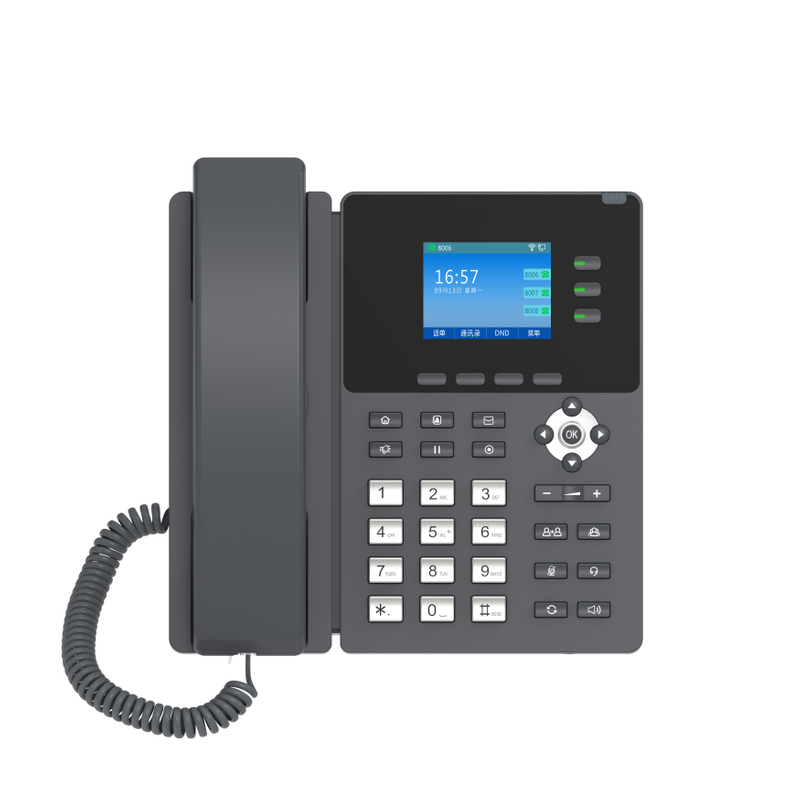
When using a hotel telephone, it's important to understand how charges for calls are applied and how billing works. This helps avoid surprises on your final bill and allows you to manage your phone usage wisely during your stay.
Hotels usually charge differently for local, long-distance, and international calls. Here's what to expect:
● Local Calls: These calls are made to numbers within the same city or area. They typically have the lowest rates or may even be complimentary in some hotels.
● Long-Distance Calls: Calls made outside the local area but within the same country usually cost more. Hotels often have set rates per minute for these calls.
● International Calls: These calls carry the highest rates, which vary depending on the country you’re calling. Some hotels charge a flat fee plus a per-minute rate.
Some hotels add a connection fee or a surcharge for each call, regardless of its duration. These fees cover the cost of maintaining the phone system.
Most hotels add phone charges to your room bill, so you pay for them when you check out. Here’s how the billing process generally works:
● Call Logging: The hotel phone system logs all calls made from your room, including number dialed, call duration, and time.
● Charge Calculation: The system calculates the cost based on the hotel's rates and any applicable taxes or fees.
● Bill Review: At check-out, you receive a detailed phone bill showing each call and its cost.
● Disputes: If you notice any charges you don’t recognize, ask the front desk to review the call records with you.
Some hotels offer prepaid phone cards or allow you to set a spending limit to avoid unexpected expenses.
● Use your mobile phone or internet-based calling apps when possible to save money.
● Check the hotel's phone rate sheet, usually found near the phone or in the room directory.
● Limit international calls or make them through the front desk, which may offer better rates.
● Avoid unnecessary calls or keep them short to reduce costs.
When staying in a hotel, knowing how to quickly and effectively use the telephone for emergencies or assistance is crucial. Hotel phones are designed to provide fast access to help, ensuring guest safety and comfort.
In any emergency situation, such as fire, medical issues, or crime, the first action should be to dial 911 from the hotel phone. This number connects you directly to emergency services, including police, fire department, and ambulance.
● Pick up the handset or press the speakerphone button.
● Dial 911.
● Wait for the operator to answer and clearly state your emergency.
● Provide your exact location, including the hotel name, address, and room number.
Many hotel phones have a dedicated emergency button or a one-touch key labeled “911” for faster dialing. If your phone has this, use it to save time.
Remember, even if you're unsure whether the situation is an emergency, it's better to call 911 and let professionals assess the need for help.
For non-emergency assistance, the hotel front desk is your primary contact point. Whether you need extra towels, report a maintenance issue, or ask for directions, the front desk staff can help.
● Locate the guest service key labeled “Front Desk” or “Reception” on the phone.
● Press the button or dial the front desk extension number, often “0” or “100”.
● Wait for the staff to answer and explain your request clearly.
If your phone lacks labeled keys, check the instructions near the phone or the hotel directory for the front desk number.
The front desk can also assist if you experience issues with the phone itself, such as difficulty dialing out or receiving calls.
Some hotels program special keys for security or concierge services. These can be useful if you need immediate help but the front desk is busy.
● Security: For safety concerns or suspicious activity.
● Concierge: For local information, bookings, or transportation help.
Check your phone's faceplate or the hotel information guide to identify these keys.
Understanding how to use hotel telephones effectively can enhance your stay. Phones are strategically placed for easy access, whether in guest rooms or common areas. Guests can make internal calls by dialing room numbers directly or using guest service keys for quick department access. For external calls, an outside line access number is required, with special procedures for national and international dialing. Shenzhen Sachikoo Yongfa Technology offers hotel phones with user-friendly features, ensuring guests enjoy seamless communication and convenience during their stay.
A: A Hotel Telephone ABS material telephone is a phone designed for hotel use, made from durable ABS plastic, ensuring longevity and resistance to wear.
A: To call another room using a Hotel Telephone ABS material telephone, pick up the handset, dial the room number directly, and wait for the ring or voicemail prompt.
A: Hotel Telephone ABS material telephones are placed on nightstands for easy access, allowing guests to make or receive calls conveniently from their beds.